About Warehouse Project
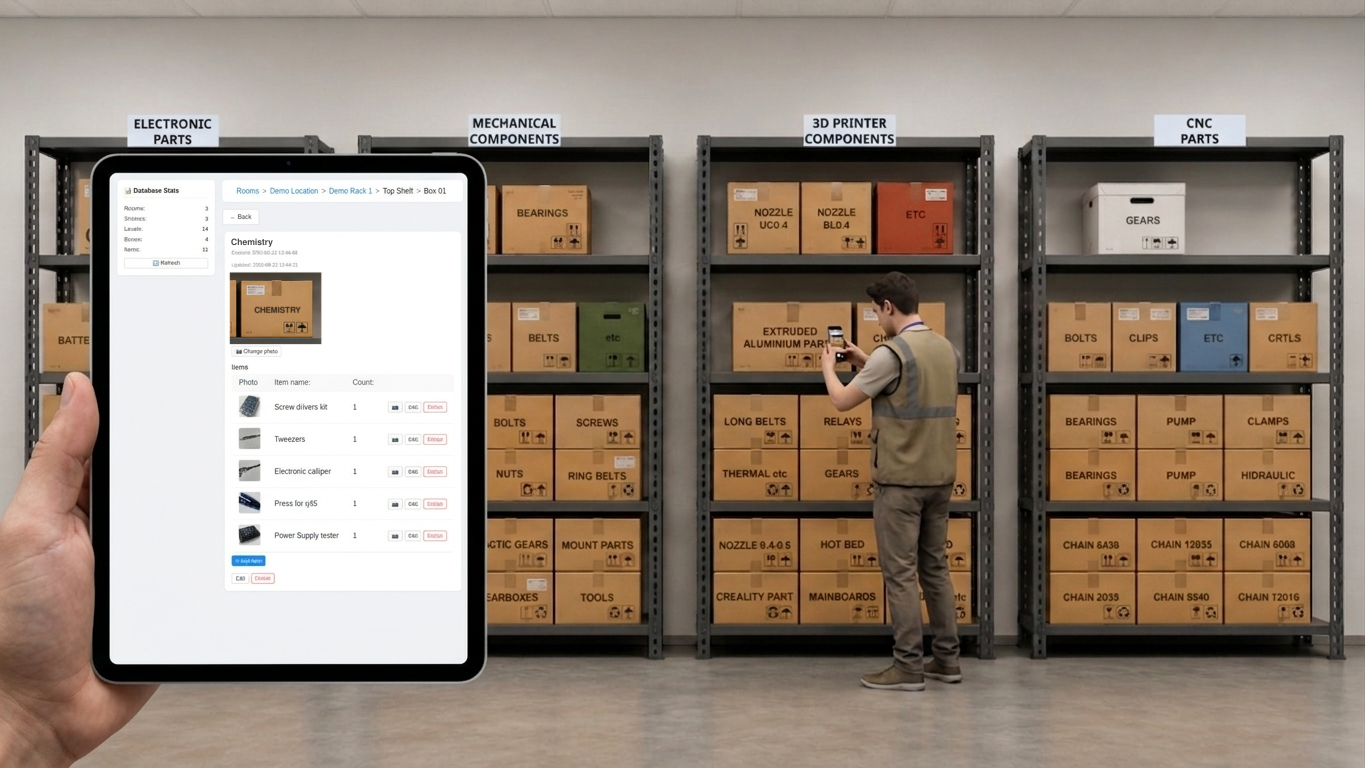
Warehouse is an application designed for tracking and rapidly locating items within workshops, laboratories, garages, or warehouses.
The software enables users to replicate the physical structure of any storage space, including rooms, racks, shelves, boxes, and individual items. It supports adding names, quantities, descriptions, and photographs to both boxes and items, streamlining the retrieval process and eliminating time-consuming manual searches.
The application ensures that stored items are organized precisely as they are arranged on physical shelves. Database population is optimized for maximum efficiency: activating the built-in web server generates a QR code, which can be scanned with a mobile device. This action opens a mobile web interface for seamlessly adding locations (rooms), racks, boxes, and their contents. Once saved, all items can be rearranged within the Warehouse Desktop Application via drag-and-drop to perfectly mirror the real-world storage setup.
To facilitate collaborative teamwork, a dedicated Warehouse Standalone Server package can be deployed, which also features an open API for seamless integration with external systems. Alternatively, the Warehouse Desktop Application itself supports team collaboration through a Master/Slave architecture. In this setup, one instance of the application runs in Master mode to host the database, while other instances operate as Slaves and connect to it over the local network via an IP address and port.
Warehouse Desktop Application

Read detailed documentation about the desktop application.
Supported operating systems and packages:
- Debian package (amd64)
- Debian package (arm64)
- macOS (.dmg package)
- Windows (Installer)
Warehouse Standalone Server
The server is fully compatible with desktop applications starting from version 1.7.

Read detailed documentation about the server application.
Warehouse Standalone Server enables the use of the web application or the desktop application connected to a remote database.
To facilitate collaborative teamwork, it is recommended to install the Warehouse Standalone Server package on a Linux OS within the local network.
Starting from Warehouse v1.7, it is also possible to deploy the desktop application as a server within a local network across different operating systems.
Web Interface
The web interface is fully accessible through both the Warehouse Desktop Application (via its built-in server mode) and the Warehouse Standalone Server.
The web interface is divided into two functional areas:
- Inventory Web App: Dedicated to performing warehouse inventory tracking, adding items, and capturing photographs directly from a mobile device.
- Admin Panel: Designed for administrators to monitor, manage, configure, and modify the underlying database structure.